
Calendar
Introduction
We use ownCloud as a central cloud solution. This brings with it the possibility to upload files and share them with other people, as well as a management of contacts and calendars.
You have the possibility to create several calendars which can be synchronized with different devices or to share or to operate a common group calendar. The setup of thhe group calendar is a bit more complex and has to be done by us. Please send us an e-Mail if you want to setup a group calendar.
Access through the browser
You can access the ownCloud through every device by going to owncloud.cen.uni-hamburg.de. Log in on the website with your user name (firstname.lastname) and the password. If this was the first login, a pop-up window "Welcome to ownCloud" appears which can be closed after notification (the X in the upper right corner).
You can access the calendar by switching to the calendar app at the top left (next to the cloud).
You can find a more detailed instruction for the graphical user interface on the website of the ownCloud-company.
Calendar access via client software
Here you will find instructions for setting up the calendar for the various operating systems. Before you start setting up the calendar, you must log on to the web interface once with your browser so that your user account is created.
Android
In Android you can only integrate Google Calendar unless you install specific apps for synchronization with other services. Two of these apps are "CalDAV Sync free Beta" (free of charge) and "CalDAV-Sync" ( for a fee).
CalDAV Sync free Beta
- Install the app "CalDAV Sync free Beta" from the Play Store
- Open the Android settings, search for "accounts" and add the new account
- In in the list select "CalDav Sync Adapter"
The following entries must be made in the setup wizzard:
- User: firstname.lastname
- Password: <Account Password>
- URL: https://owncloud.zmaw.de/remote.php/caldav/
- Accountname: e.g. ownCloud on business (optional)
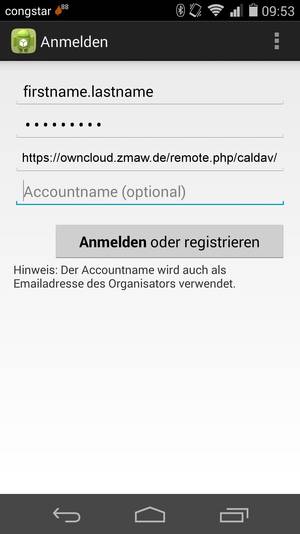
After logging in, the account is successfully set up.
If no appointments are displayed in the calendar, automatic synchronization may be switched off. Switch it on or synchronize manually.
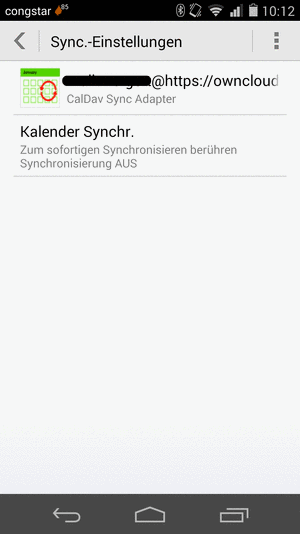
CalDAV-Sync (with costs)
- Install the app "CalDAV-Sync" from the Play Store
- Open the application and select "Create new account"
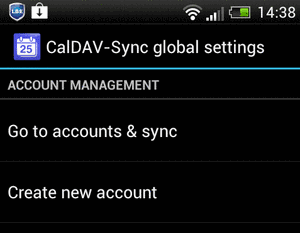
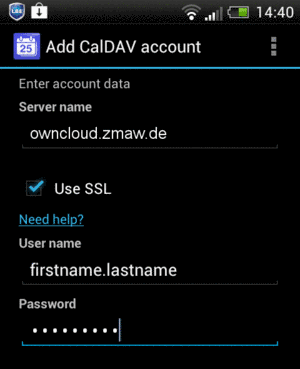
The following information must be entered in the setup wizard:
- Servername: owncloud.zmaw.de
- Use SSL: Check the box
- Username: firstname.lastname
- Password: <Account Password>
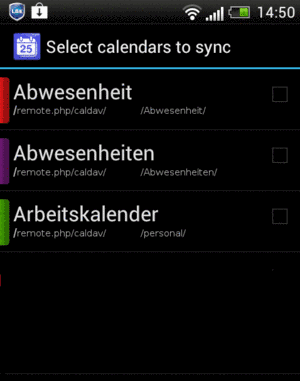
In the next step a list of all available calendars is displayed. Using the selection fields you can choose which calendars should be synchronized. This selection can also be changed later.
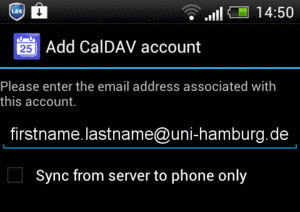
To send invitations, the e-mail address is required. In addition, the check mark must not be set if you want to create appointments on the smartphone.
The account has been successfully set up.
If no appointments are displayed in the calendar, automatic synchronization may be switched off. Switch it on or synchronize manually.
iOS (iPhone/iPad)
Setting up the OwnCloud on an iOS device is relatively simple. The calendar will integrate with the local calendar.
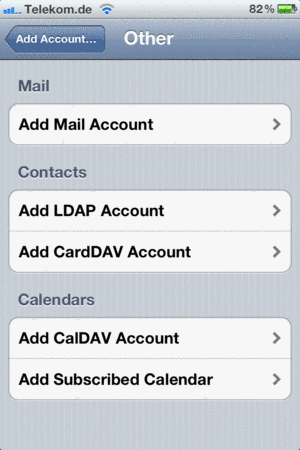
New accounts for the calendar will be added in the system settings. Open the menu item "Mail, Contacts, Calendar" in the settings. (a list of already existing accounts will be displayed).
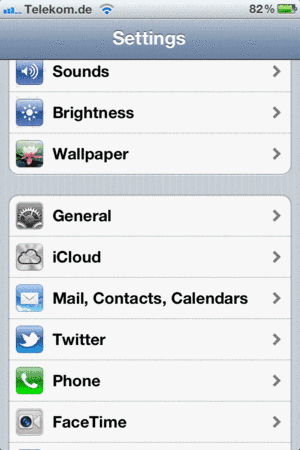
Look for the "Add account" item below. On the next page you will see a list of different providers, choose "Others" at the bottom.
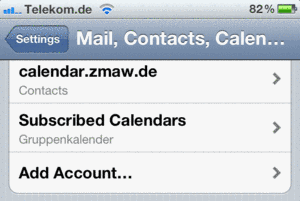
Under the heading "Calendar" you add a new CalDAV account.
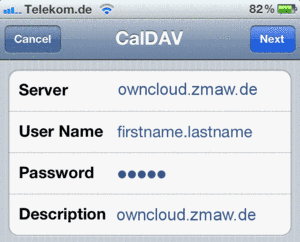
The following entries must be made in the setup wizard:
- Server: owncloud.zmaw.de
- User: firstname.lastname
- Password: <Account Password>
- Description: e.g. owncloud.zmaw.de or ownCloud on business
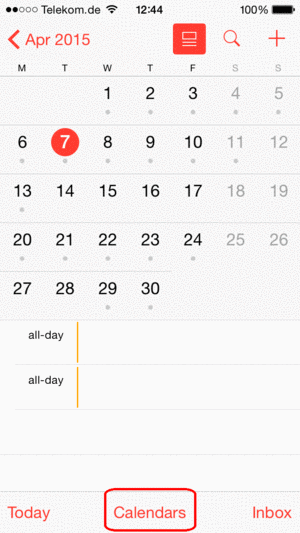
After you have completed the setup, all calendars will be displayed in the Calendar app. You can hide individual calendars by selecting "Calendar" at the bottom of the screen.
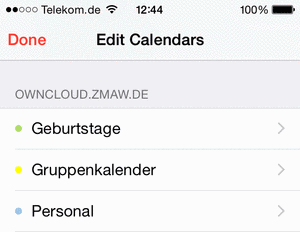
All available calendars are listed in the section of the new calendar (the name you have previously entered in the description). Here you can easily hide a calendar or change its color.
Mac OS X
Depending on the OSX version you use, there are different ways to configure a calendar account. The following procedure was tested with OSX version 10.10 (Yosemite).
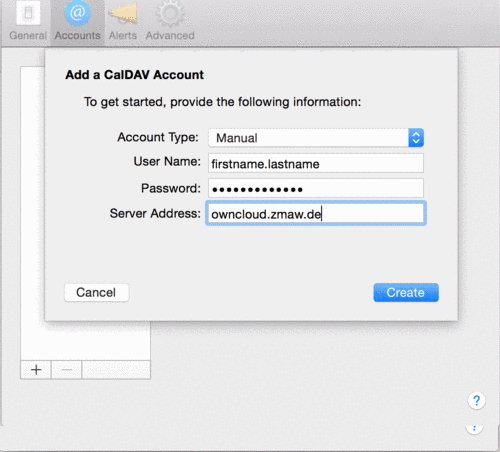
- Start the iCal application
- in the settings select the tab "Accounts"
- Select the "+" symbol on the bottom left
- If you are asked for the calendar type, select CalDAV
- Account type: Manually
- Username: firstname.lastname
- Password: <Account Password>
- Server adress: owncloud.zmaw.de
- Finally click on create
Windows / Linux
Under Windows and Linux the calendar can be used via Thunderbird Lightning. This extension should already be pre-installed. If it is not, you have to do this via the Add-On section in Thunderbird.
Setting up a calendar
To set up the calendar you must first log in to the web interface owncloud.zmaw.de to copy the link to the desired calendar. To access the calendar you have to switch from "Files" to the "Calendar" app in the upper left corner (next to the cloud).
In this view all own and all shared or group calendars are listed.
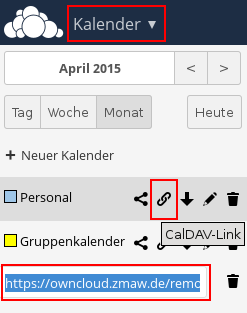
The address of the calendar is hidden behind the "CalDAV-Link" function of each calendar (the chain symbol). The link is displayed below the calendar list and can be easily copied by pressing Ctrl+C or using the right mouse button menu.
After the link is copied, switch back to Thunderbird Lightning and create a new calendar. A right click in the calendar list opens the menu to create new calendars.
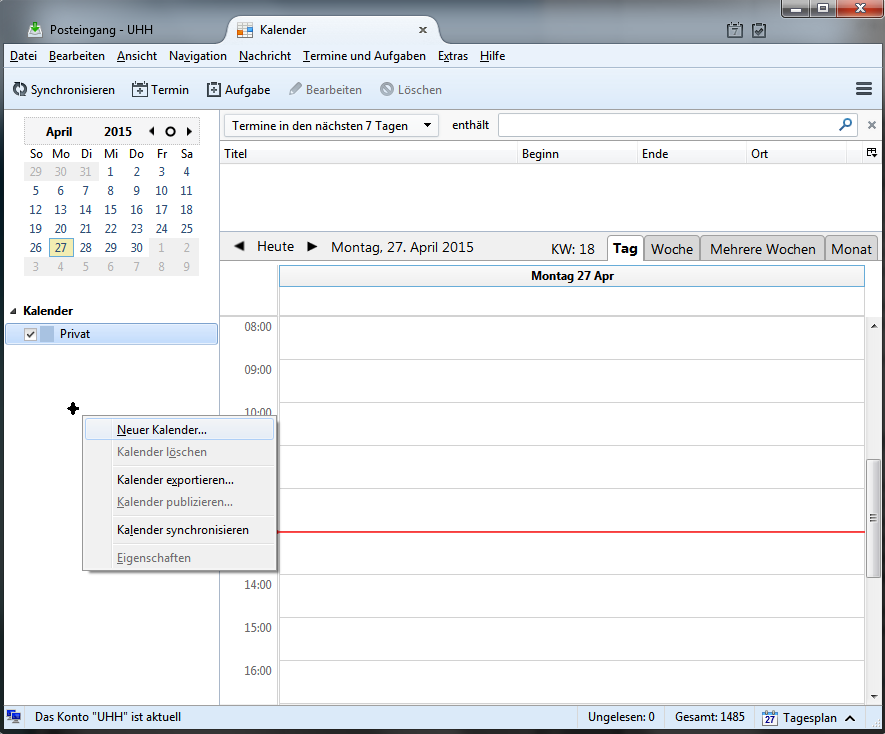
Assistent
- Location of the calendar: In the network (-> Next)
- Format: CalDAV
- Adress: Paste the CalDAV-Link here (-> Next)
-
Finally, assign a name and select a color. These settings are freely selectable and can be changed later.
-
When the first calendar is created, you will be asked for a user name and password.
Repitition
All setup steps must be repeated for each calendar.